
Media Minute
3D Tour vs. Floor Plan: Which Does Your Listing Need?
Compare virtual tours, floor plans, and 3D property tools so you can choose the option that fits the listing and marketing goal.
Why it matters
3D Tour vs. Floor Plan: Which Does Your Listing Need?
Compare virtual tours, floor plans, and 3D property tools so you can choose the option that fits the listing and marketing goal.
This Realiant Media Minute gives agents, property owners, or building
professionals a concise explanation they can use when planning media or
working with Realiant Photography.
These products overlap, but they answer different buyer questions. The right choice depends on how much interaction, measurement detail, and spatial context the listing needs.
The goal is to make the product, process, and practical value easier to
understand before the next project.
Watch or read
Watch the episode
Watch the 6:26 episode for the complete explanation and examples.
Prefer to read? Open the complete read-along below the video.
Read along with the video
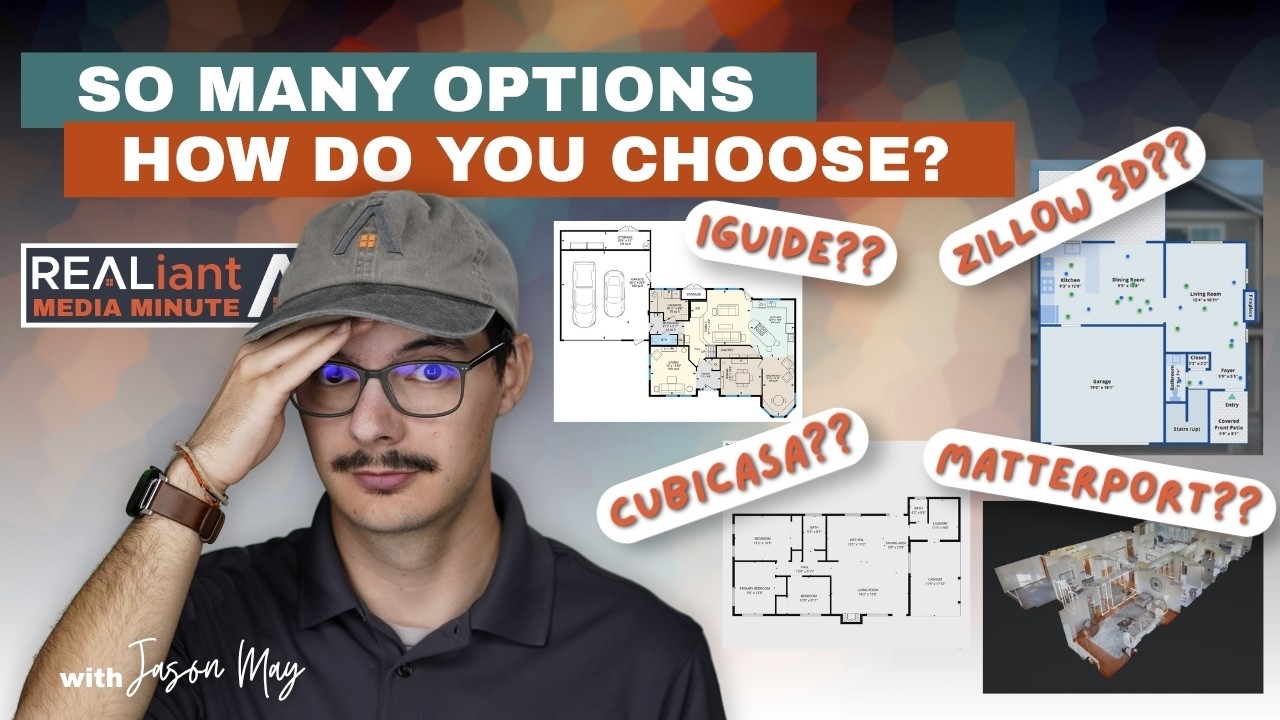
With the addition of Matterport, I know that we now have at least four different floor plans slash 3D tour slash 360 tour options and that can be confusing. So let’s do a little lightning round here and clear that up. They all cost a little different. They all give you something that’s a little different.
So let’s do a nice little rundown so that you don’t have to be confused about which floor plan slash tour you need. We’re going to hop right into it. We’re going to start with the CubiCasa, the base light CubiCasa, which is our most affordable floor plan option. That’s exactly what it is.
It gets you a floor plan, just a nice black and white sketch with windows outlined, dimensions. It’s pretty basic. There are options to upgrade that as well out of just the basic mode, but we’re just going to stay here for now. This is what you get.
It’s a really nice little package. It’s affordable and it is still really accurate and I’d highly recommend. Let’s hop on up to our next package. All right.
Now we’re looking at our Zillow 3D tour. Most people who choose this do Zillow showcases and really rely on Zillow’s other features because it blends in and works really well for them in terms of their workflow and it really integrates well into Zillow. So you get this floor plan here and you can hop around to different points. There’s an image.
So this is from the floor plan. You can just click through these still images, which are our photos that we took, not just a 360 camera image. Then you can also go to 3D home here and have the walkthrough tour experience. In our opinion, it’s not the most polished 3D tour experience.
It’s all right. It is relatively budget, but it definitely gets the job done and it’s nice how you can go to the floor plan, click on a room and then see our actual nice image in there as opposed to just the image from the 360 camera. It’s a nice feature. So let’s hop on up to the iGUIDE.
All right. You join me here in the iGUIDE, probably my personal favorite of our options because it just gives you a lot of bang for your buck. This is the top iGUIDE option that we have, which includes the site plan. It’s called iGUIDE estate.
You can see right here, this is what you get. You walk all the way around the outside. You’re not just inside the house. We scan every inch of this property and you can walk around the whole thing.
You can click on here and for a property like this where there’s a bunch of buildings, it’s just really, really, really helpful. You can see that the main house is here. There’s this shop here. You can see where all the garden plots are down here.
The barn’s up here, the little play set. It’s just a really, really amazing option when you have a property like this. And this isn’t that large of a property. It’s only a couple of acres, but it just happens to have all these features around.
And even if it’s only one house, but it has a nice garden or some nice pathways or leads into the woods, or maybe it sits really far off the road, this is still a nice option to have. So let’s aim back towards the house here. We’re going to click on main floor. Then again, you get our floor plan off to the side.
Then we can walk through. It’s a bit of a smoother walk through experience than the Zillow. It is a more detailed floor plan, with a colorful rendering. We can just move on through.
What you also get with the iGUIDE is a dedicated report with schematic floor plan. So let’s hop on over there right about now. All right. And here we are in our dedicated PDF report for this same exact house.
Now you can see it’s the same floor plan that we were looking at. It’s in the tour, but now it includes all of the dimensions as well as square footage for the main floor. And then the other floors also offer the same thing. There’s one of these for the garage.
There’s one of these for the shop, and there’s also a report at the end totaling everything up. If detailed floor plans, schematics, and layouts are your priority, I would consider the iGUIDE product. Let’s hop on over to our final option. You join us and our last option might report probably what everybody is the most familiar with.
You get this amazing dollhouse view that almost gives you like a 3D floor plan type vibe. You know, you can move it all around, see how all the rooms connect. It’s just a really great option to get a nice snapshot of the house. So let’s hop on inside.
Maybe let’s hop on inside. Double click and we’re in. Matterport is known for having probably the smoothest walkthrough experience. It really flows from shot to shot, and it is probably the most immersive as you walk through a property.
It’s a really, really nice feature. That and the dollhouse view is really, really why you choose Matterport. It just looks really nice. It’s so easy to navigate around.
The photos are good. It’s the same photos, same 360 quality as you get with the iGUIDE. There’s no difference there, but just the walkthrough is just a little more polished, and the dollhouse is a really, really nice feature that iGUIDE does not have. Now, Matterport does not have that site plan option like iGUIDE does.
So there’s definitely some tradeoffs, and it doesn’t use lasers and LiDAR and the fancy technology like iGUIDE does either. So it really just depends what you’d rather have. It also offers the floor plan. So let’s go hop on over to that.
And here we are in the floor plan from Matterport. As you can see, this floor plan that comes with Matterport is pretty similar to the CubiCasa. It’s nowhere near as in-depth or detailed as the iGUIDE floor plan is, but it is still a useful floor plan, and it’s a good combination and it’s a good product all around.
So I hope this little video here has helped you to kind of decode which 3D tour and floor plan option you would like. Yeah, I’ll see you in the next one.
Key takeaways
What to know
- Floor plans provide quick layout context.
- 3D tours let buyers move through the property virtually.
- Product detail and measurement options vary by platform.
For your next listing
Put the idea to work
- Identify the spatial questions buyers are likely to ask.
- Decide whether quick reference or immersive exploration matters more.
- Confirm current deliverables before ordering.
Confirm current products, package contents, pricing, and scheduling details
when placing an order.
Keep watching
More short ideas for Realtors
Realiant Media Minute answers common questions and explains Realiant’s
products and processes. Visit the playlist for more episodes, or start an
order when you are ready to plan media for a listing or project.
Episode source: Realiant Media Minute, June 10, 2026. Confirm current pricing, packages, scheduling, delivery timing, hosting, products, and deliverables when ordering.
Keep learning
Related Media Minutes


