See the Whole Layout
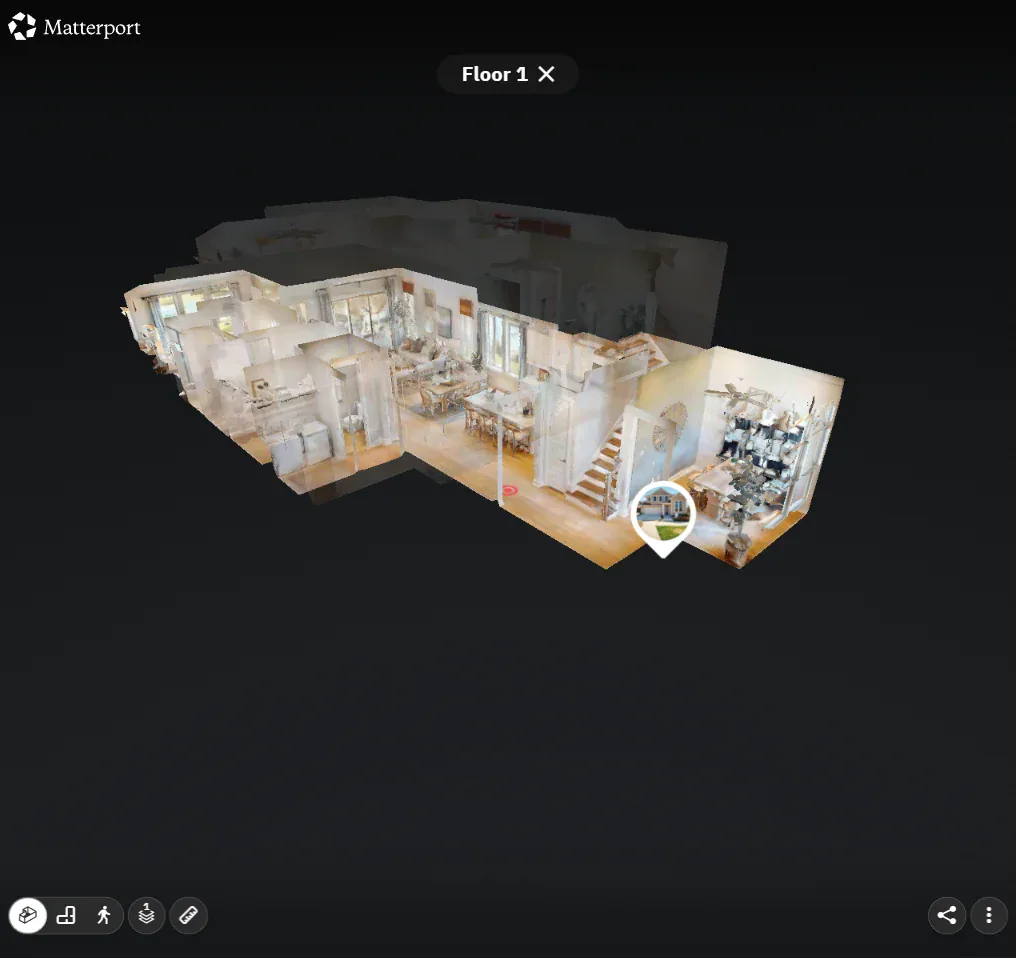
Rotate the dollhouse model to make sense of the rooms and their relationship to one another.
It gives buyers an overview before they begin exploring inside the home.

Matterport tours · Oregon listings
A Matterport tour lets buyers explore the home, from a cutaway model to a closer look inside the captured rooms. It helps them connect the layout with the spaces they’ll walk through at a showing.
The whole home. Then the room.
Try the experience
Open Sage Model Home in Matterport Discover and look for the Dollhouse and Explore 3D Space controls to move between the model and the rooms.
This public example is shared by Tri Pointe Homes. It demonstrates the platform and is not a Realiant Photography project.
Help choosing your tour
Jason May from our team explains why the viewing experience matters when choosing between Matterport and iGUIDE, alongside the other media options for a listing.
Watch the Realiant Media-Options EpisodeExplore iGUIDE’s connected tour and floor-plan choices or compare the available tours and plans.
Make the tour useful for your listing
Tell us where you will share the tour and how you want to use the floor plan. We can help you confirm the order before the appointment.
Let us know your MLS requirements and the branded or unbranded link you need.
The online tour is typically hosted for a year, and you can download your tour and plan files and keep them.
Check the plan format and dimensions needed for your listing, print materials or buyer questions.
The model view and a downloadable plan serve different jobs. Every Matterport tour comes with its own floor plan.
Your next listing
Review Matterport with your photography package and other media choices in booking, which shows the current price for your property’s size. Tell us the areas to capture and when you need the tour.
If you need a layout drawing without a walkthrough, explore CubiCasa floor plans. For furnished plan renderings, explore Custom 3D Floor Plans.
Plan your delivery date